
Campaign Studio - from idea to ROI, all inside QMIN
Create, launch, steer, and settle every sales campaign in one seamless flow.

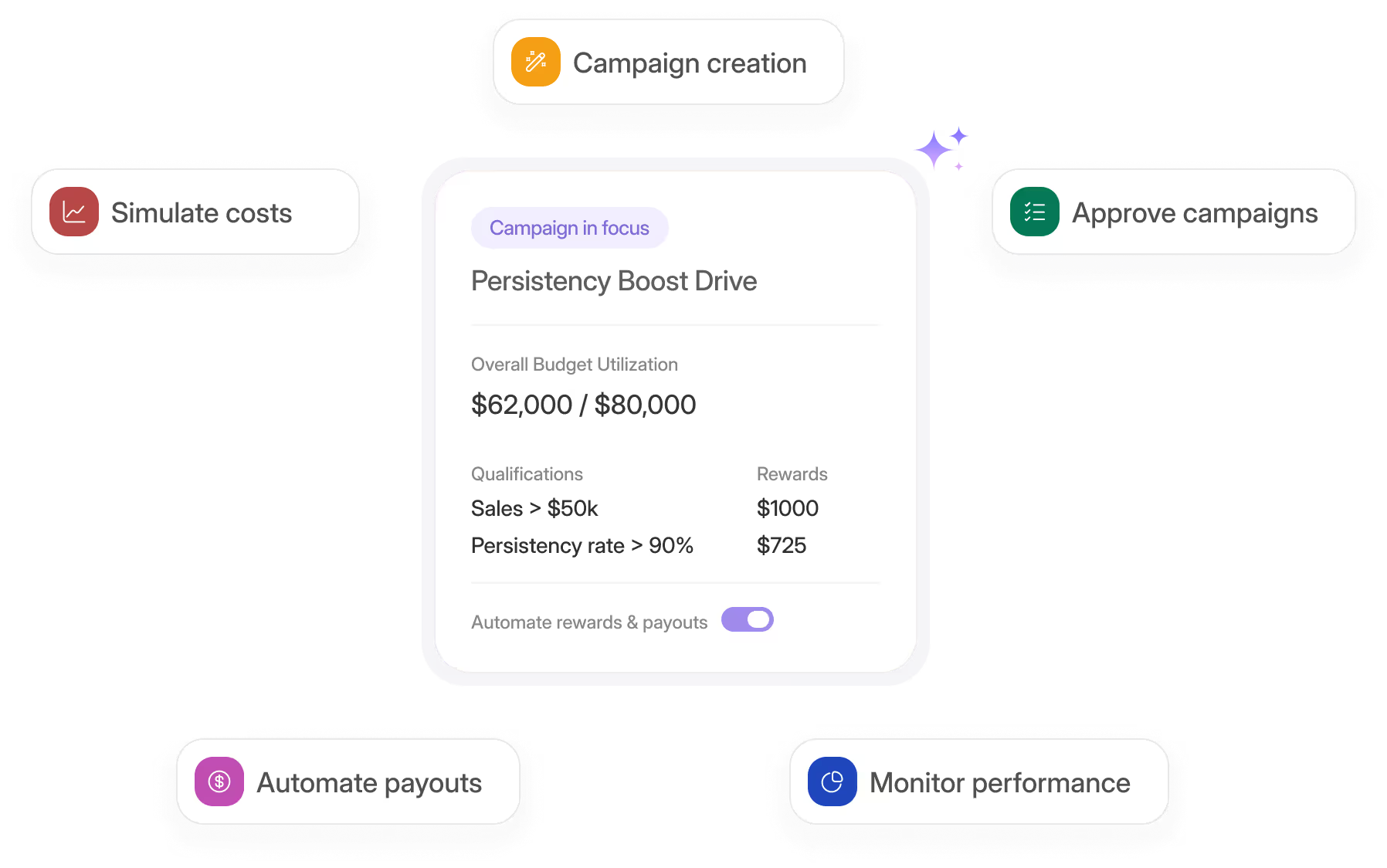
Launch smarter campaigns
What a campaign means in insurance
A campaign is a time-boxed incentive that nudges agents or sometimes customers, toward high-value behaviour.
Think of a 90-day new-agent fast start, a three-week push for a flagship product, or a six-month bonus tied to 13-month persistency.
Insurers need campaigns because they are the fastest, lowest-friction way to drive specific, goal-oriented behaviours in the field.
Track What Matters
No more chaos, errors or delays
You can’t keep rewriting the core commission grid or permanent bonus plan every time priorities shift, campaigns add a flexible, controlled layer that lets you steer distribution dynamically.
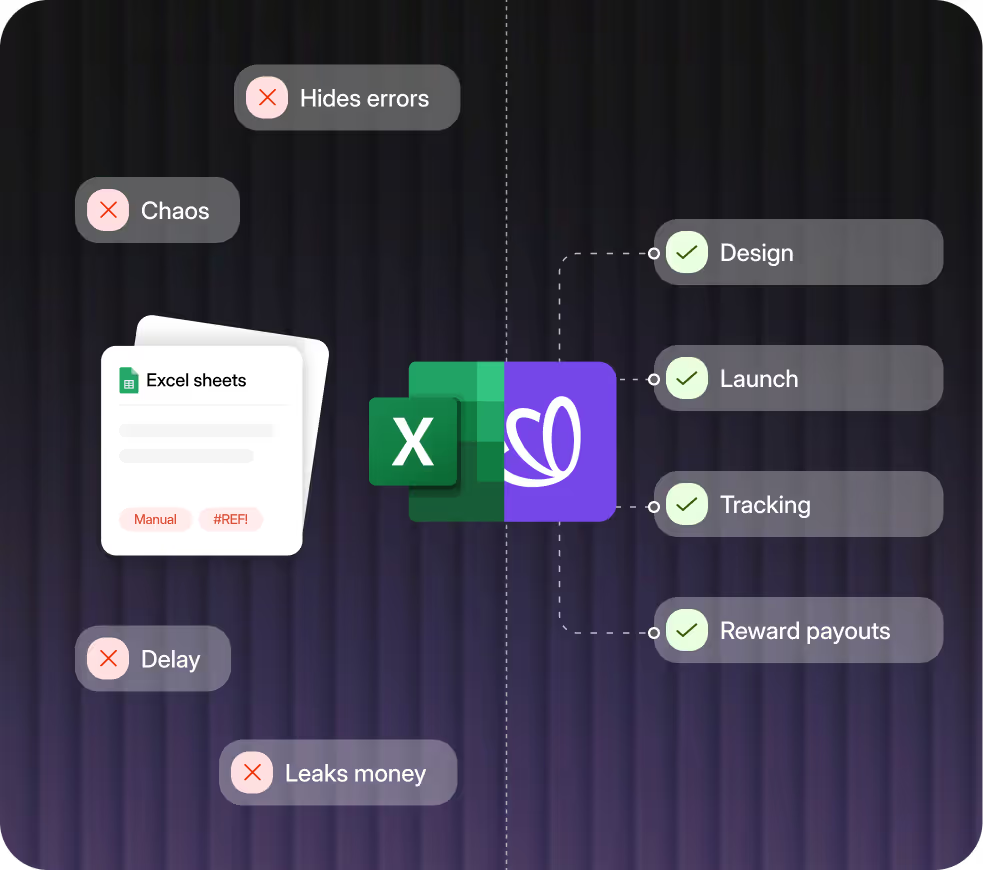
Most carriers still design and track these drives in Excel, which hides errors, delays insight, and leaks money.
QMIN replaces that chaos with a governed, data-driven engine that brings design, simulation, live monitoring, and payment onto one screen.

Built for enterprise-grade scale, speed, and security.

Designed to support high volumes of agents, products, and payout complexity.
Flexible data models that adapt to your hierarchy, plan logic, and workflows.
Works alongside your existing policy admin and CRM stack.
Easily test incentive rules and publish updates with confidence.

Step 1 : Design in Minutes
Start campaigns the moment inspiration hits.
Launch-ready in less time than it takes to build a spreadsheet.
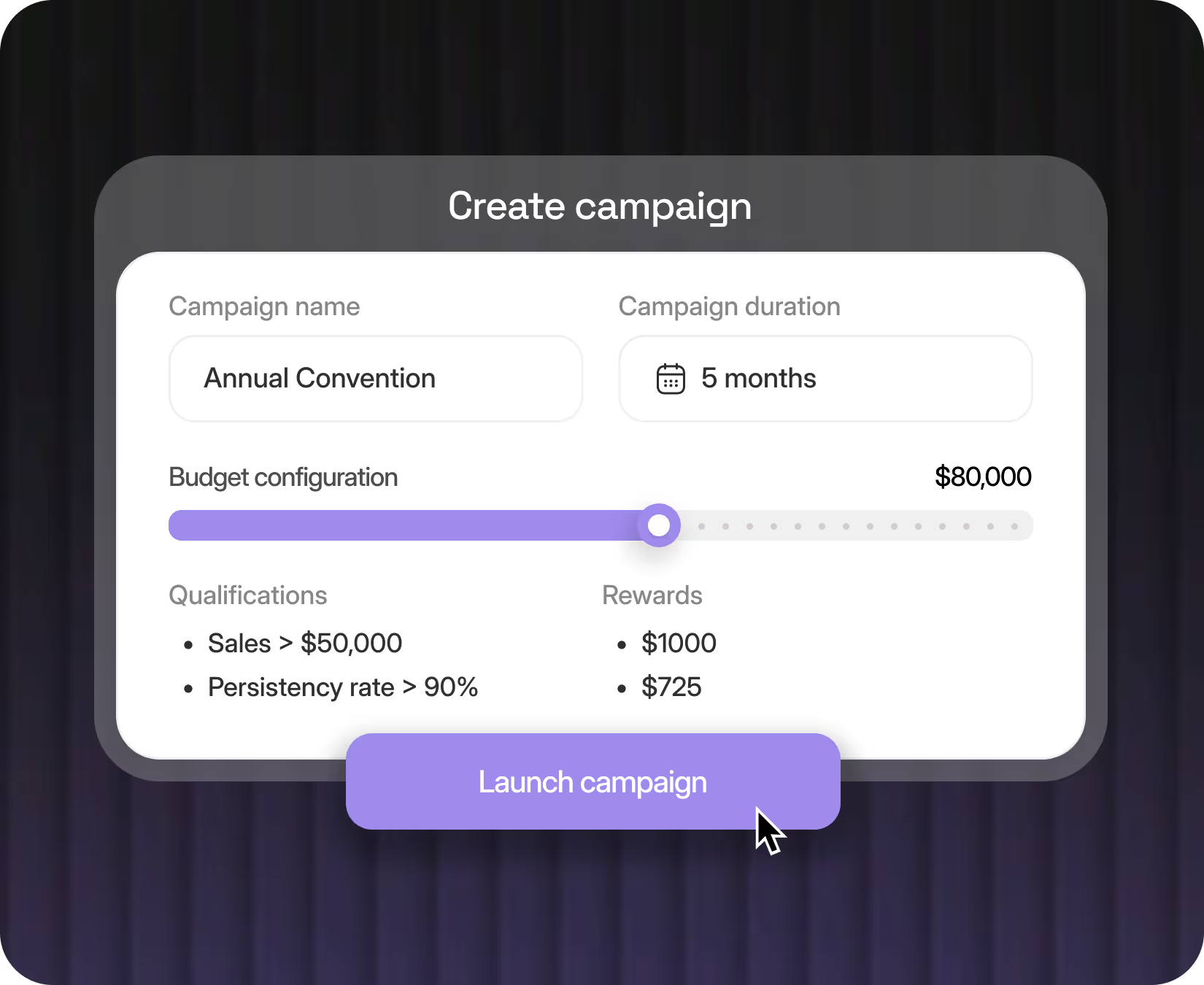
When you press “New Campaign,” QMIN opens a guided, business-friendly form where you can set objectives like recruitment, persistency, or cross-sell, define eligible channels, configure budgets, and validate logic as you type. No copy-pasting. No messy templates. No IT bottlenecks.

Step 2 : Simulate Before You Spend
Play with assumptions, preview results, and replay real-world data.
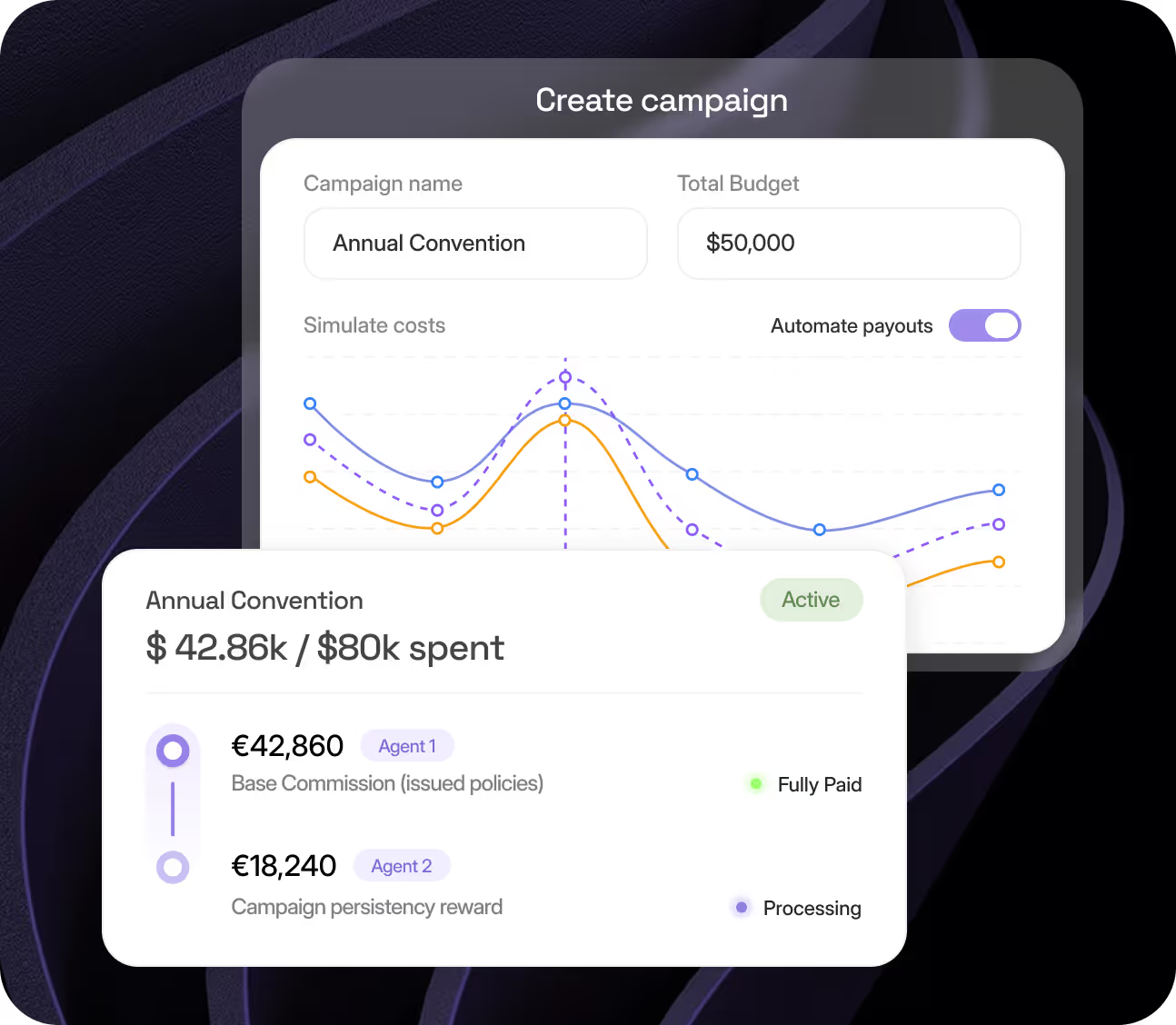
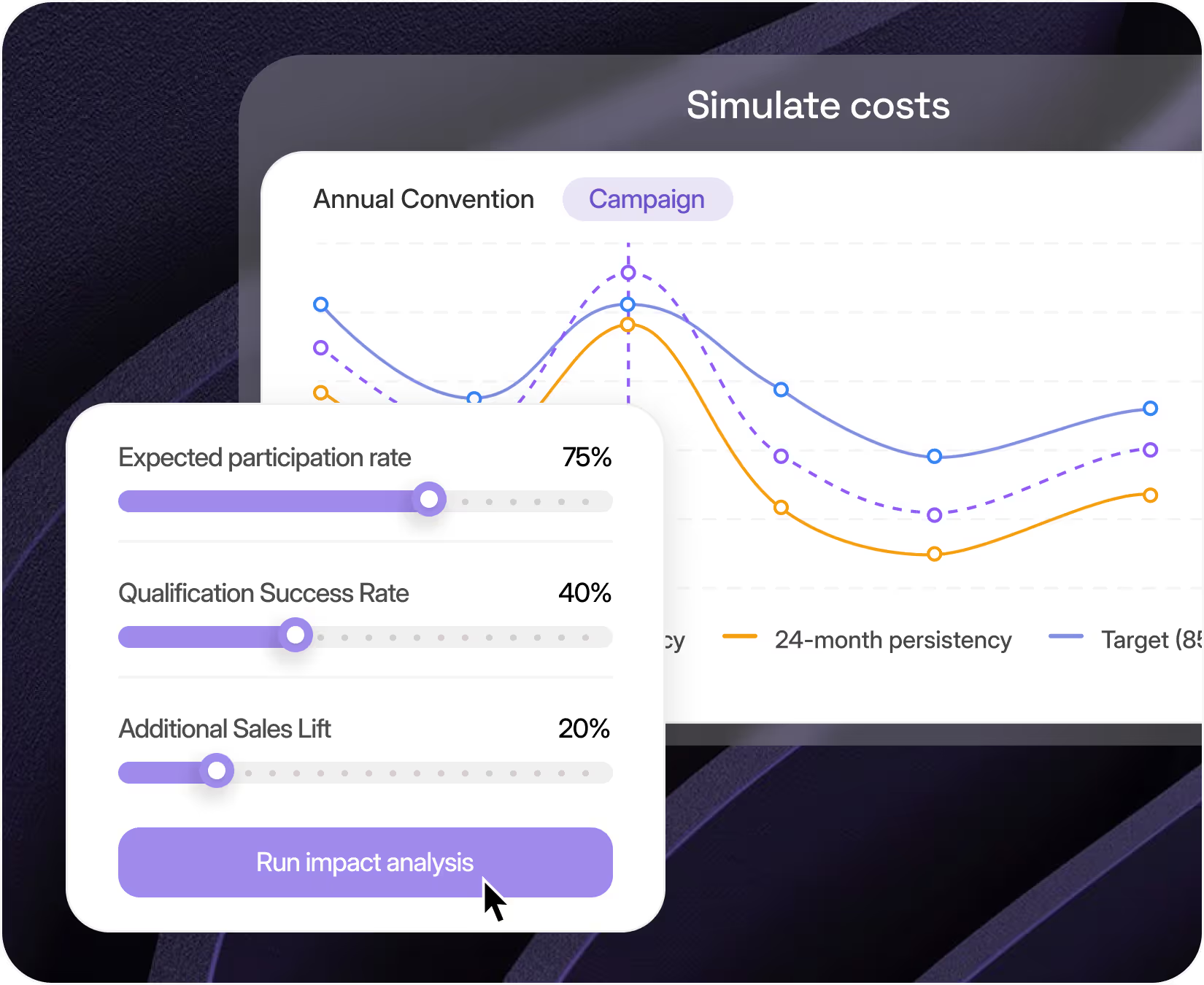
Slide participation or uplift estimates to see how they impact cost, premium, and ROI. Then replay the entire campaign using last year’s numbers to check if it would’ve actually worked.
Every version is saved and auditable, perfect for finance signoff and risk review.

Step 3 : Guard Every Dollar
Live controls that protect budget without slowing momentum.
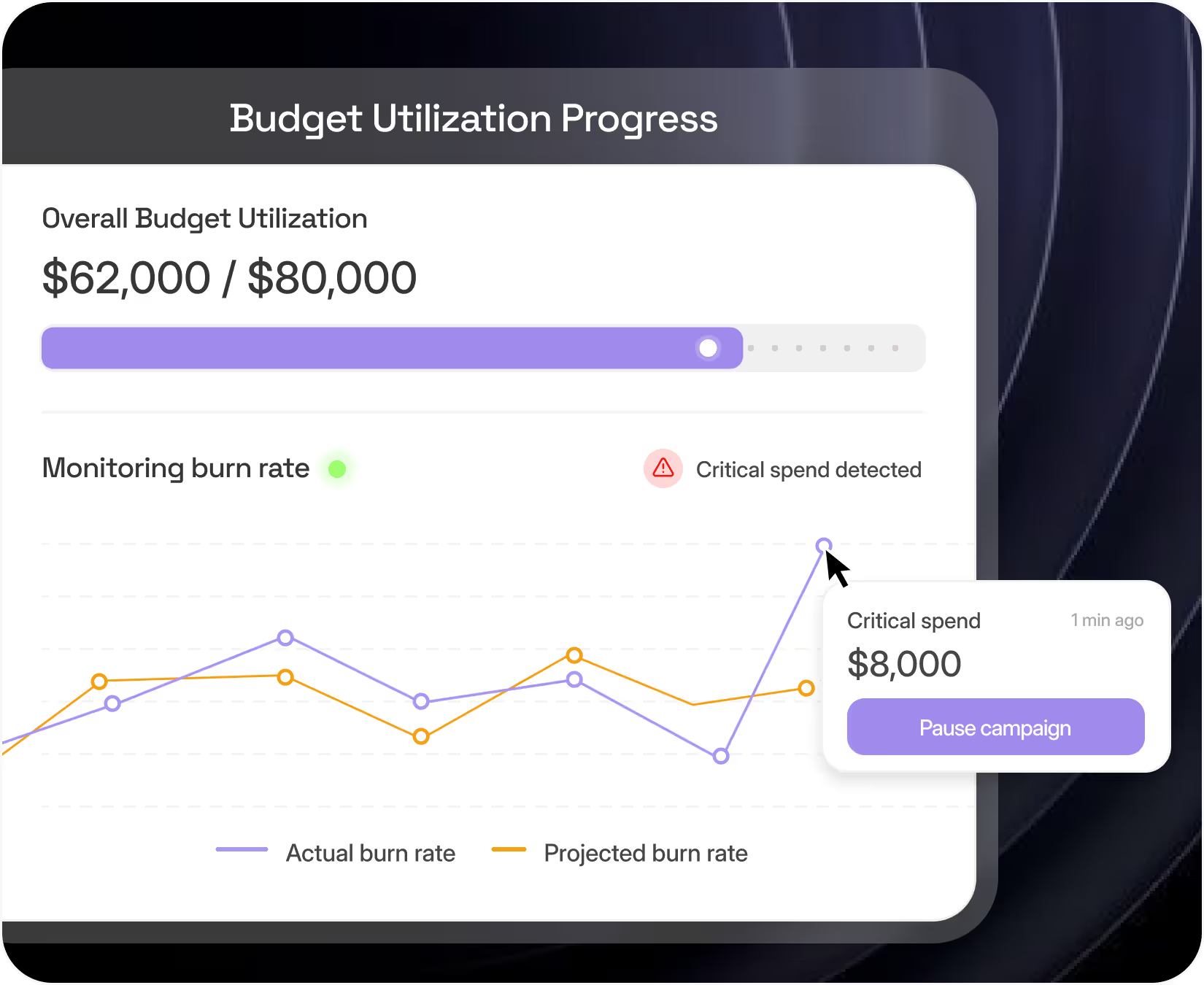
QMIN continuously monitors spend against the hard cap you set during design. A velocity index warns if burn rate is off-track, turning amber or red.
With a single click, you can pause the campaign, adjust reward levels, or extend the timeline no engineering required.

Step 4 : See the Story Unfold
Real-time dashboards show exactly what’s working and what’s not.
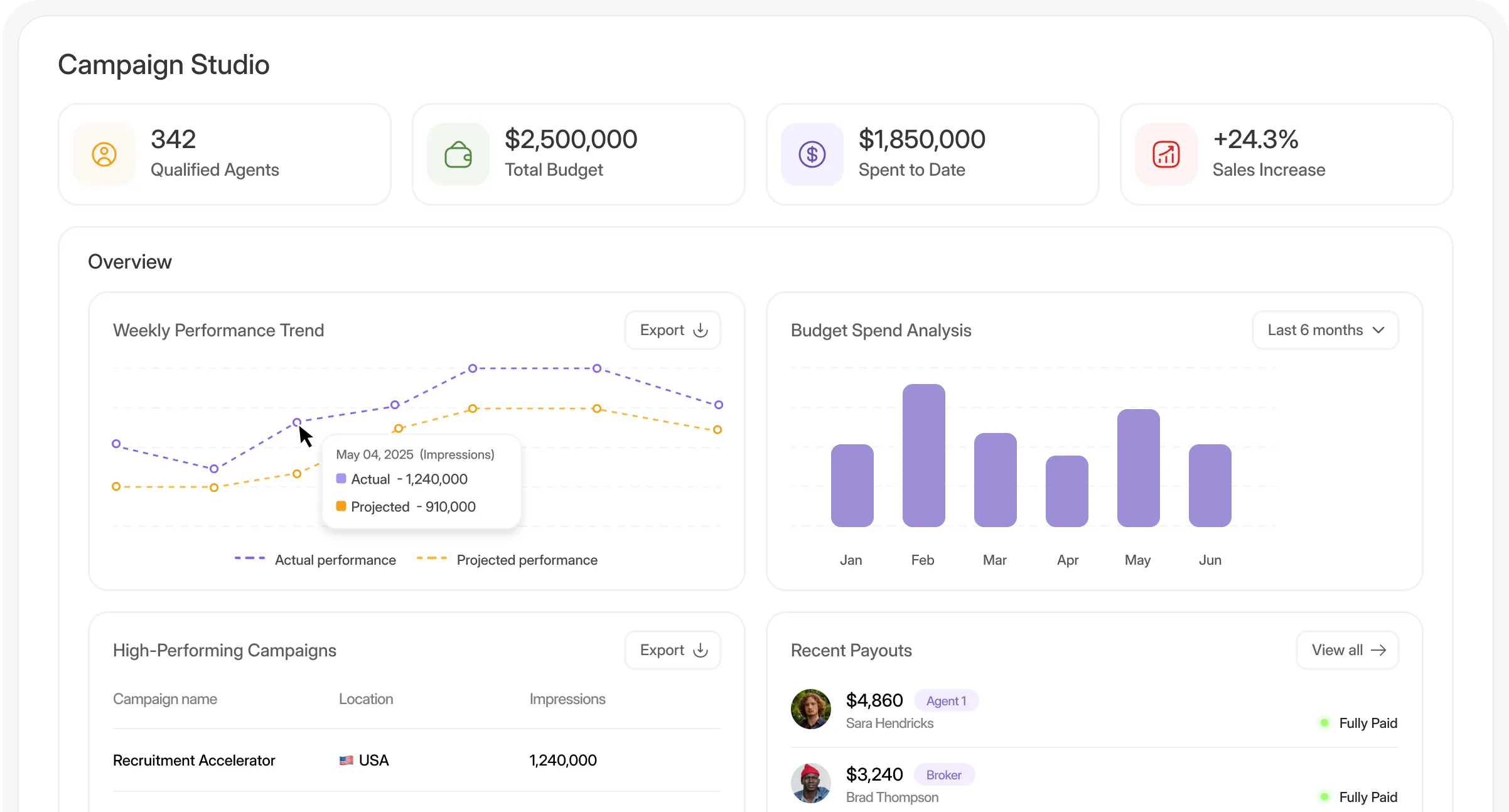
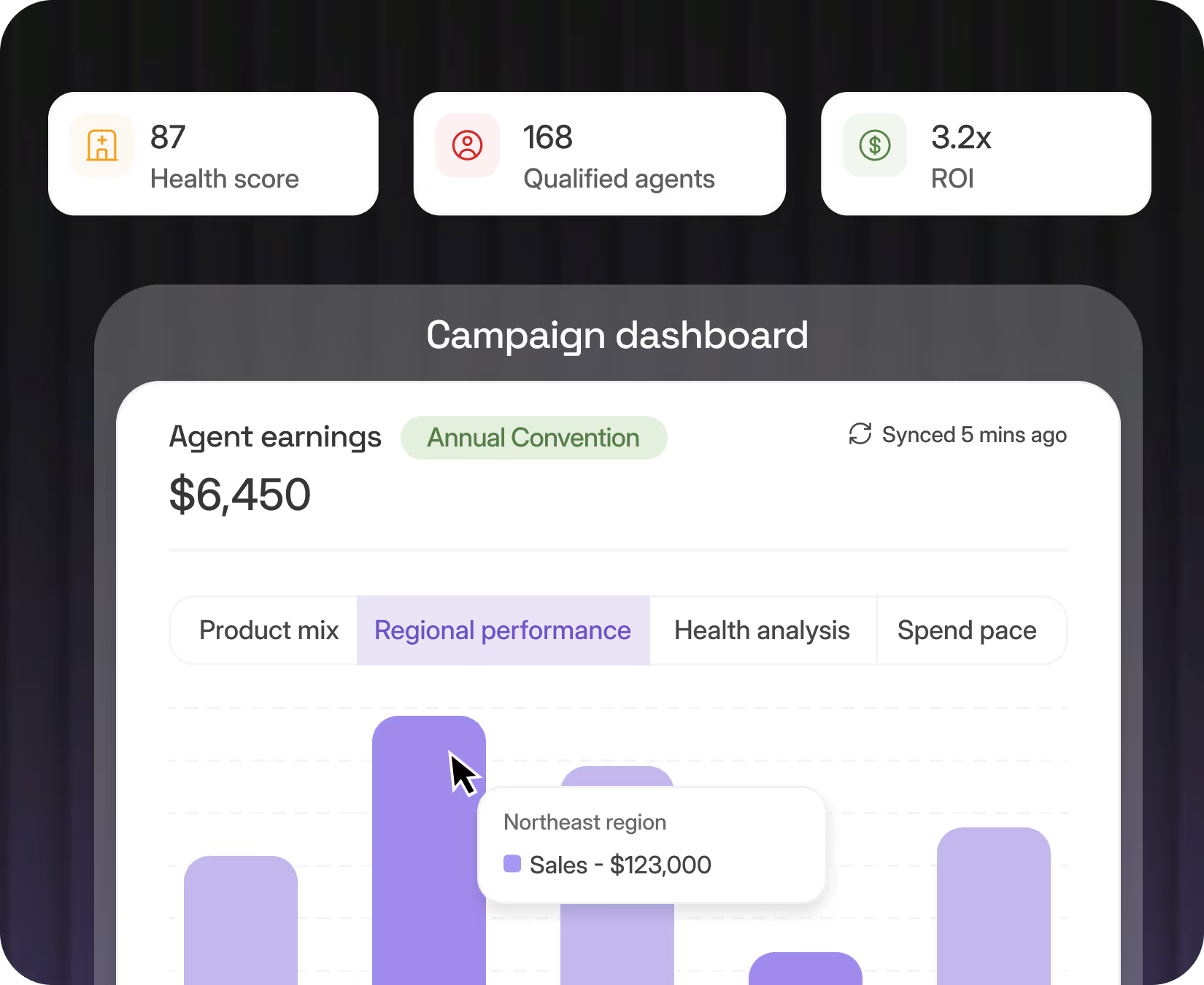
Qualification counts, spend pace, ROI, product mix, regional lift, updated every few minutes. A visual health score blends profitability, momentum, and quality into one glanceable gauge.
Agents and managers see their individual earnings build in real time, keeping motivation and transparency high.

Step 5 : Learn the Moment It Ends (and Beyond)
Post-campaign analysis without the usual wait.
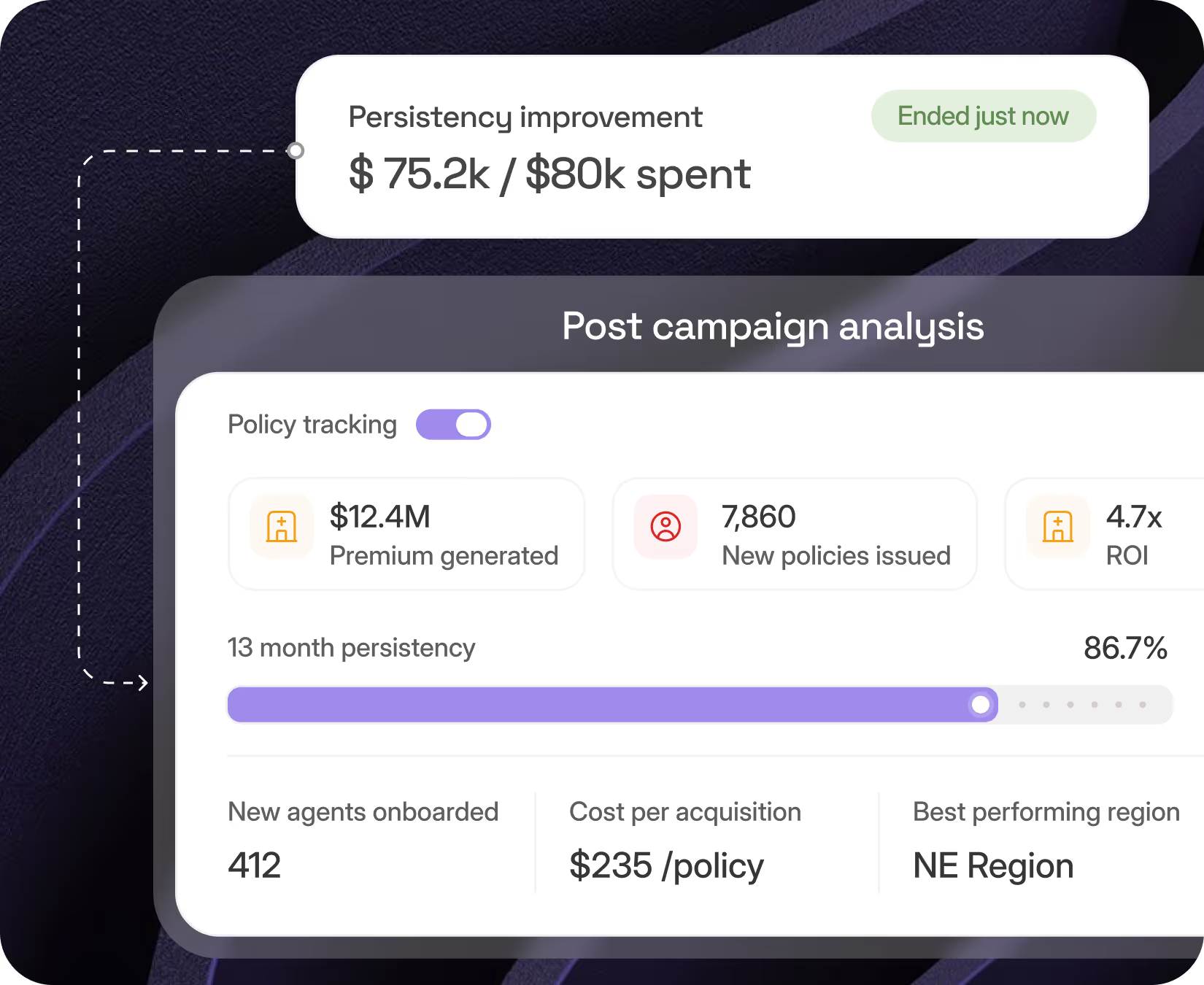
When the campaign ends, QMIN auto-generates a full post-mortem, extra premium, new recruits, retention metrics, lapse risk, and ROI. But it doesn’t stop there.
The system keeps tracking those policies and recruits for months, flagging churn and quality dips to help you course-correct your next campaign.

Step 6 : One Seamless Workflow
No more bouncing between tools or departments.
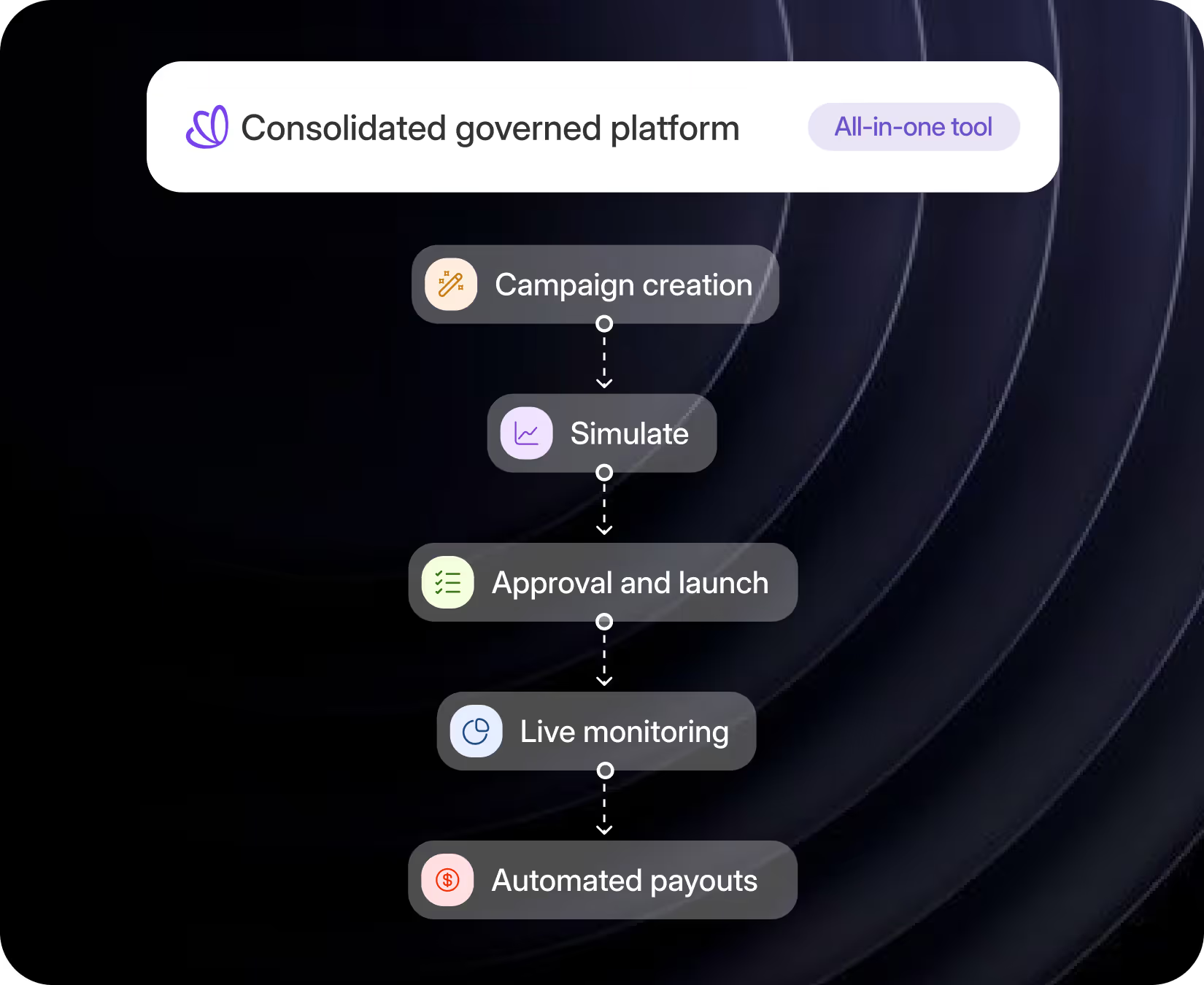
From campaign idea to payout, every step, scenario modeling, approvals, launch, monitoring, and reward disbursement, happens in one governed flow. Leaderboards update instantly.
Finance gets audit trails and journal files. Everyone stays aligned and in sync.

Step 7 : Payments, Compliance, and Audit - Automated
Let the platform handle the financial plumbing.
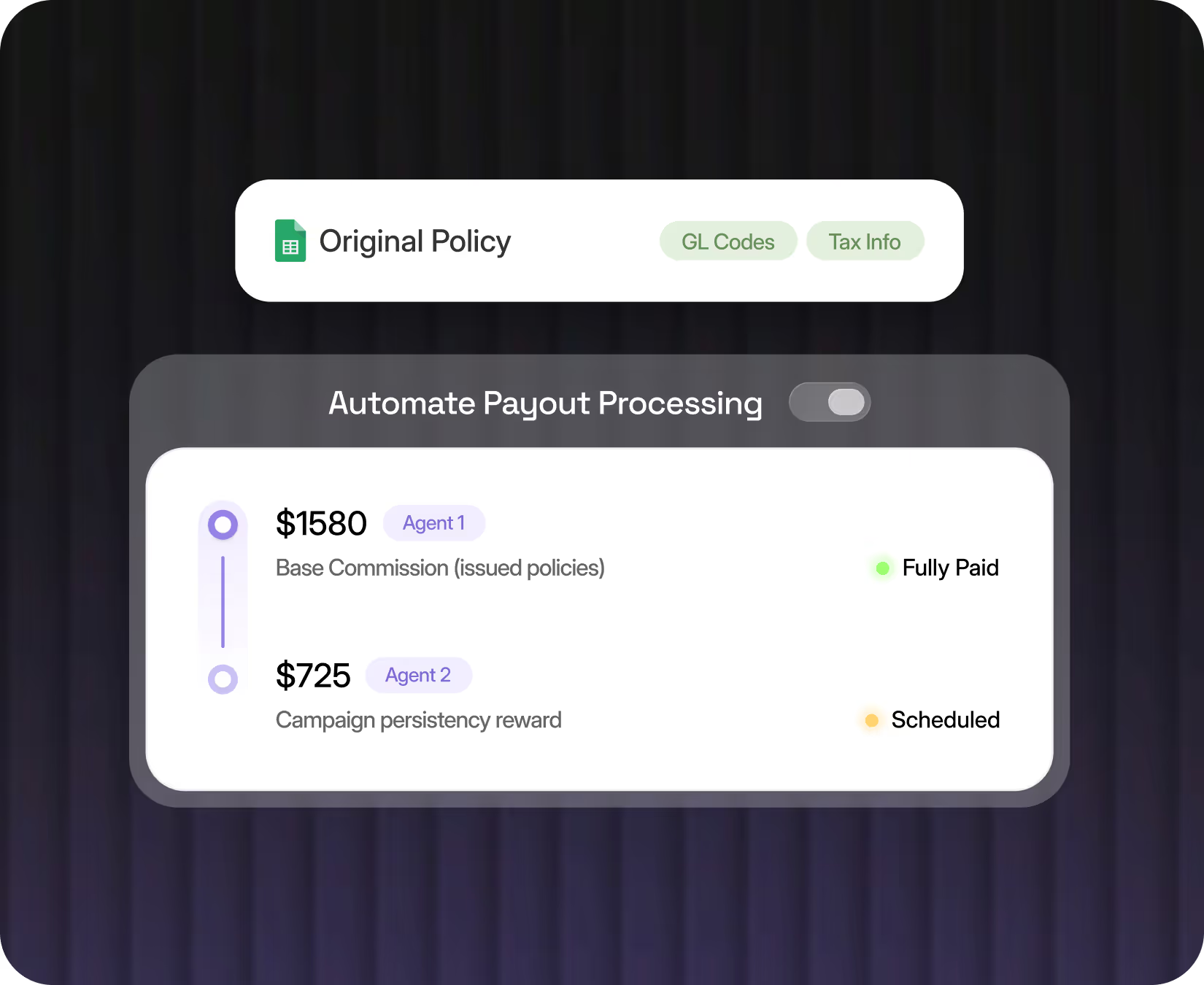
QMIN shows live reward counts, payout statuses, batch schedules, and total campaign cost, all in one dashboard. Every payout line traces back to the original policy, complete with GL codes and tax info.
Files flow directly into SAP, Oracle, or Workday, so finance can reconcile in real time.

See it. Use it. Believe it.
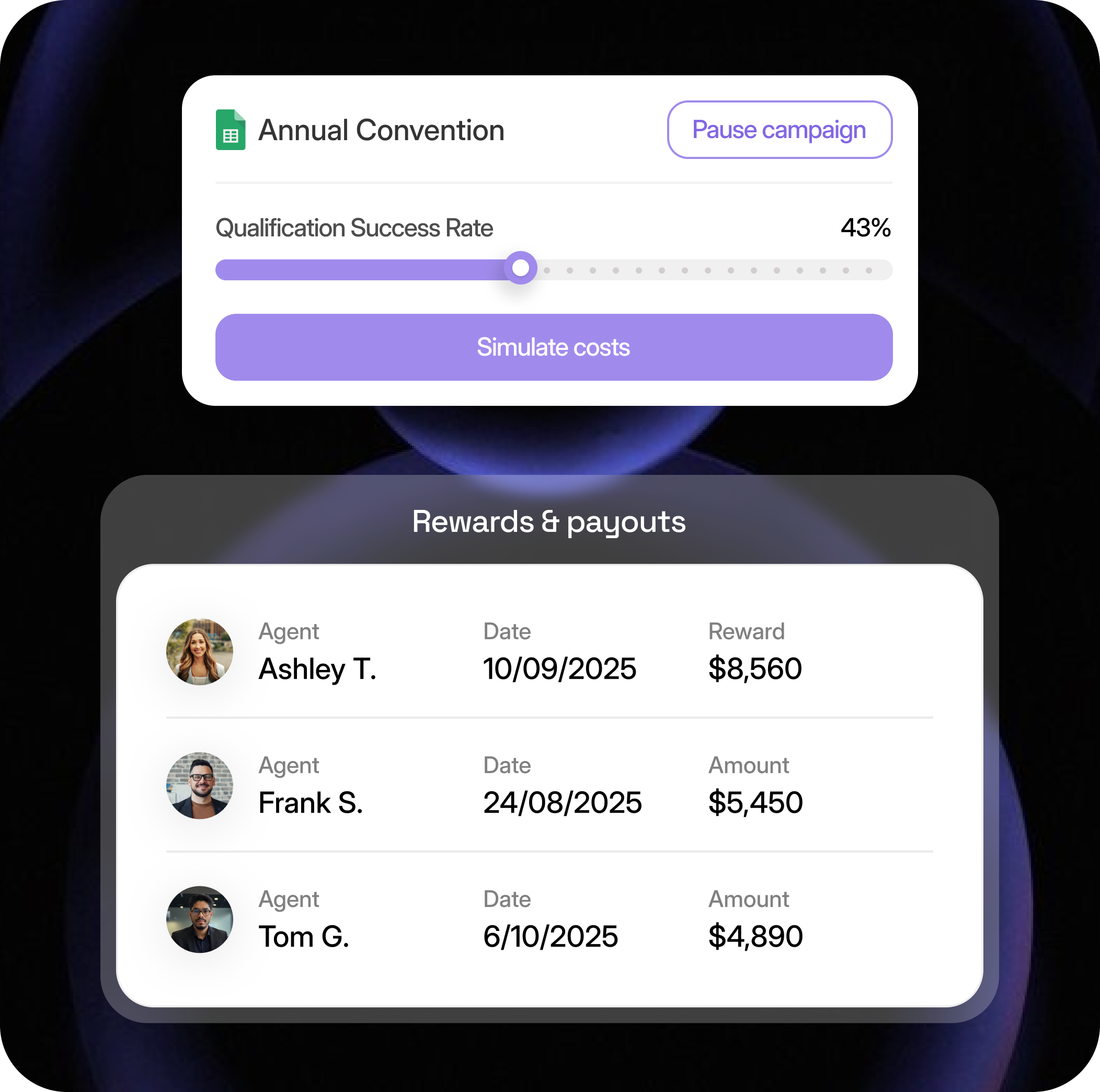
Drag simulation sliders, pause live campaigns, or inspect agent rewards, all from a single screen.
It takes five minutes to see how QMIN turns promotions into profit levers.



Results insurers care about
Rules live in hours - not weeks

Modern incentives, zero guesswork.
See QMIN in action.
